Use your forum account to login.

LOGIN

TOP Contributors

  1. MikroElektronika Team (99 codes)
  2. Dany (44 codes)
  3. NART SCHINACKOW (34 codes)
  4. Alcides Ramos (33 codes)
  5. Agent Wolfz (14 codes)
  6. Andrew Hazelden (13 codes)
  7. Roman Black (11 codes)
  8. Alberto Trasimeni (11 codes)
  9. Roman Toropov (9 codes)
  10. Simon Platten (8 codes)

Most Downloaded

  1. Network Ethernet Library (11773 times)
  2. FAT32 Library (8610 times)
  3. Timer Calculator (6541 times)
  4. PID Library (5251 times)
  5. Network WiFi Library (5207 times)
  6. SMS home alarm system (4421 times)
  7. External Memory (4107 times)
  8. mikromedia for PIC18FJ - Examples (3567 times)
  9. microSD click - Example (3494 times)
  10. GPS click - Example (3259 times)
Libstock prefers package manager

Package Manager

We strongly encourage users to use Package manager for sharing their code on Libstock website, because it boosts your efficiency and leaves the end user with no room for error. [more info]

< Back
Example

I Heart mikroC - Custom LCD Character Example

Rating:

Author: Andrew Hazelden

Last Updated: 2012-05-04

Category: Graphics & LCD

Downloaded: 542 times

Not followed.

This is a source code example that shows how to create a custom LCD character in mikroC Pro for PIC.

No Abuse Reported

Do you want to subscribe in order to receive notifications regarding "I Heart mikroC - Custom LCD Character Example" changes.

Do you want to unsubscribe in order to stop receiving notifications regarding "I Heart mikroC - Custom LCD Character Example" changes.

Do you want to report abuse regarding "I Heart mikroC - Custom LCD Character Example".

  • Information
  • Comments (1)
Download

Download Example [117.08KB]

Version 1.0.0.0

DOWNLOAD LINK RELATED COMPILER CONTAINS
mikroC PRO for PIC
  • lib
  • src
  • exa
  • hlp
  • hex
  • sch
  • pcb
  • doc

Example Blog

Custom LCD Character Video Tutorial

In this video I demonstrate how to create a custom LCD character using MikroC Pro for PIC and the EasyPIC Development board. The microcontroller used in this tutorial is the Microchip PIC18F4685.

Watch on YouTube
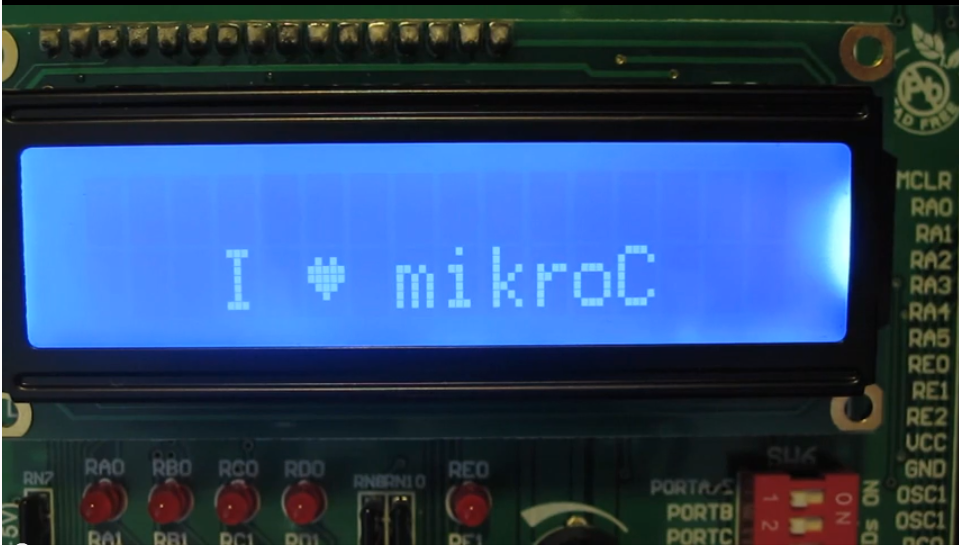
LCD Screeen Closeup

LCD Screeen Closeup

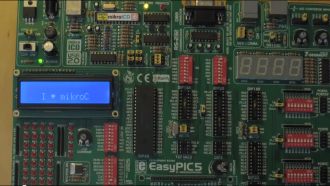
This is a closeup image of the I Heart mikroC LCD screen.

View full image
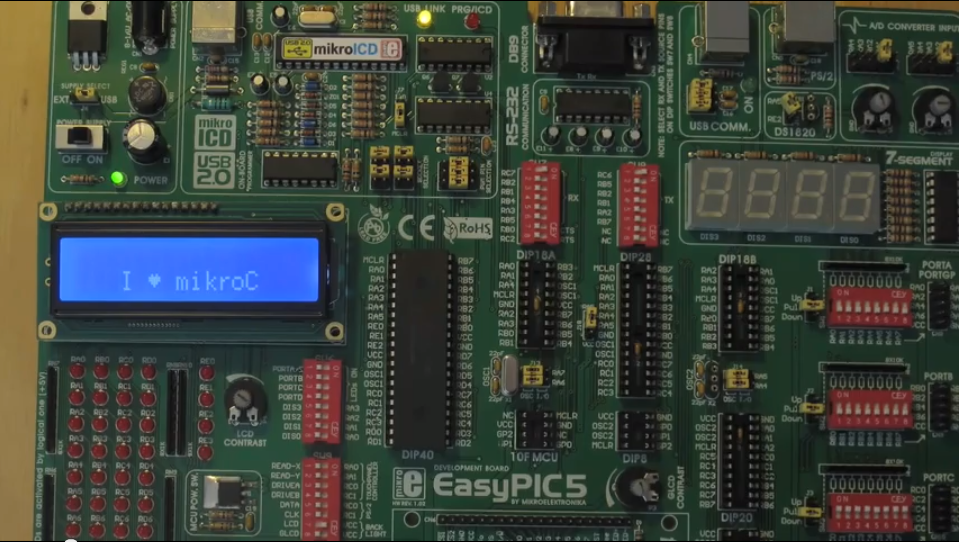
EasyPIC board photo

EasyPIC board photo

This shows the finished example from the I Heart mikroC example.

View full image

ALSO FROM THIS AUTHOR

Mini-Sub Game Demo

Navigate a mini-sub through a treacherous ocean filled with naval sea mines. The Mini-Sub Game demo is designed for the Mikromedia PIC32 board with either the Mikromedia Workstation or the Mikromedia Gaming Shield.

[Learn More]

Andrew Hazelden's Mikromedia Stereo3D Viewer

This is a simple example that shows a stereo image on a pair of mikromedia PIC32 boards. If you tap the displays you can switch between parallel vs crosseyed stereo views. The included stereo 3D image is of a carved piece of scrimshaw.

[Learn More]

Andrew Hazelden's Mikromedia Gaming Shield Library

This is an input library for the MikroElektronika Mikromedia Gaming Shield. It is compatible with the Mikromedia dsPIC33 and PIC32 boards. The library is designed to get you started with the Gaming Shield and provides control over the 4 LEDs on the Gaming Shield and reads the inputs from the buttons.

[Learn More]